|
|
Brand New in Retail
Box
Aluminum Casing! Better Material
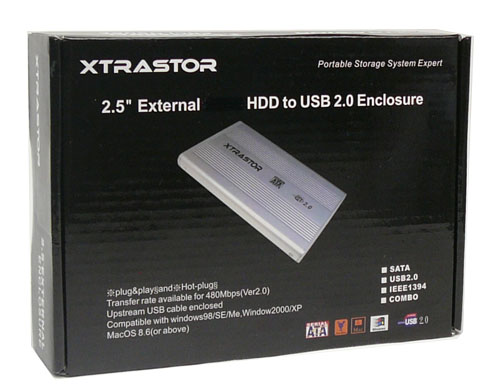
2.5" USB 2.0 Portable External SATA HDD Enclosure Case
+
USB Cable
+
Leatherette Case
+
For MAC
and PC
Transfer Up to 480MB/Sec
Color:
Silver
Part#:
GP-EN25-U2SA
|
Bring data
transportability and USB connectivity to your computer
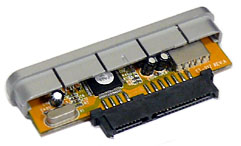
Fit 2.5" 9.5mm SATA Hard Drive only
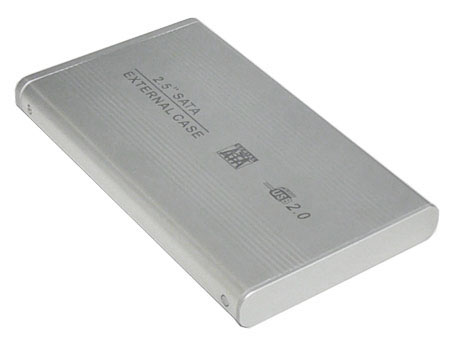
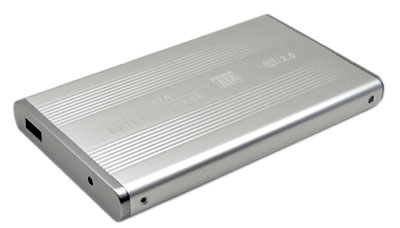

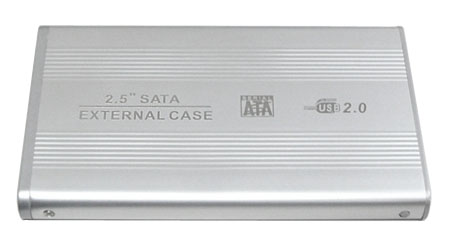
4.9 x 2.95" x 0.5" Only 0.5" high, superslim!
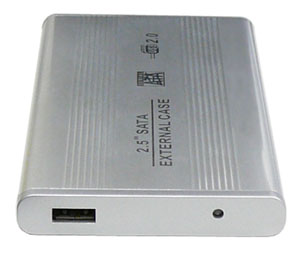
Features and support:
- Fits SATA I/SATA II 2.5-inch slim type
hard disks
- USB 2.2/IDE compliant:
- Integrated USB transceiver
- High speed (480mbit) and full speed (12mbit) support
- USB suspend/resume, remote wake up support
- Bootable: The computer can be booted directly from this
enclosure, for the purpose of switching OS and system backup. BIOS support
bootable function required.
- USB 2.0 and 1.1 compliant
- Up to 480mb/sec.
- Plug and Play hot swapping
- Superslim, lightweight and portable
- Draws power from your USB port, no need for ac adapter
- Compatible with most Mac & PC computers
- Weight of the USB drive is around 3 oz. (without hard drive
installed)
- Dimension: 5.0" x 2.95" x 0.5"
System requirements:
-
One available USB port (either USB 1.1 or USB 2.0)
-
Mac O/S 8.6, 9.x, 10.x (please see support above)
-
Windows 98,98SE, Windows Me, 2000 XP and Vista.
-
One available CD-ROM drive for software installation
-
16MB RAM
Package contents
-
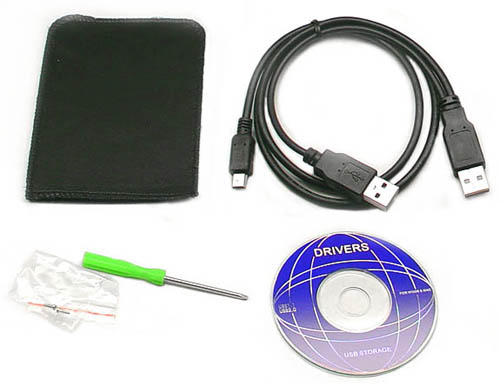
Aluminum USB 2.0 2.5" SATA HDD Enclosure (Silver)
-
USB Cable (A-mini B) (as shown below)
-
Leatherette Case
-
Software/Instruction CD
-
2.5" hard drive NOT included
| |
|
Support
Zone |
| For XP, please
go to control panel-->Administrative tools-->Computer Management. Under
"Computer Management," click "Disk Management," then check the
right-bottom window (scrolling down if necessary), you should see the
additional hard drive disk, right click mouse on it, choose "new
partition", then follow the instructions for the format of the hard
drive. After finishing the format, you should be able to see the
additional drive under my computer icon on the desktop. If you are
still can't get it to work, it doesn't mean the external HDD doesn't
work or is defective. Please contact us by email or phone, we are here
to help you to solve the problem.
Still not working? Try on another computer, and
see if other computer detects the new hardware. Also, please download
the USB 2.0 service pack from
www.microsoft.com.
Tips:
- Try to adjust the jumper on the HDD and try
again.
- Reboot the computer
- Please do try on another computer, many
problems are caused by the busted USB port on the computer
- Redo the format and repeat the trouble
shooting above
|
Warranty: 180 day warranty.
|
|